
Hover Chords: Free Piano Chord Finder for Chrome
A free Chrome extension that turns every chord on a chord sheet into a piano chord diagram you can hear and transpose.
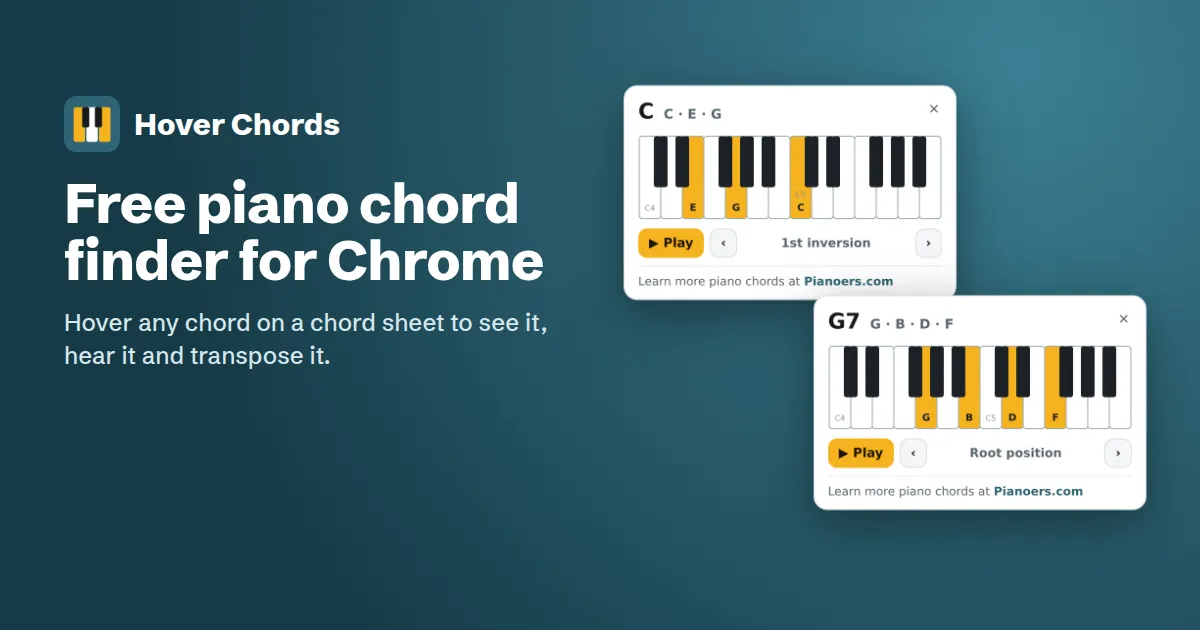
Hover Chords is a free Chrome extension that shows any chord on a piano keyboard. Hover a chord name on a chord sheet and a piano chord chart appears right where you're reading: the keys to press, the note names, and a button to hear it. It can also transpose every chord on the page in one click.
Chord sheets are written for guitar players. At the piano, a chord like F#m7b5, Cadd9 or D/F# usually means stopping to look it up. I'm a piano teacher, and that's the moment my students lose the flow of a song. Hover Chords puts the answer under your cursor.
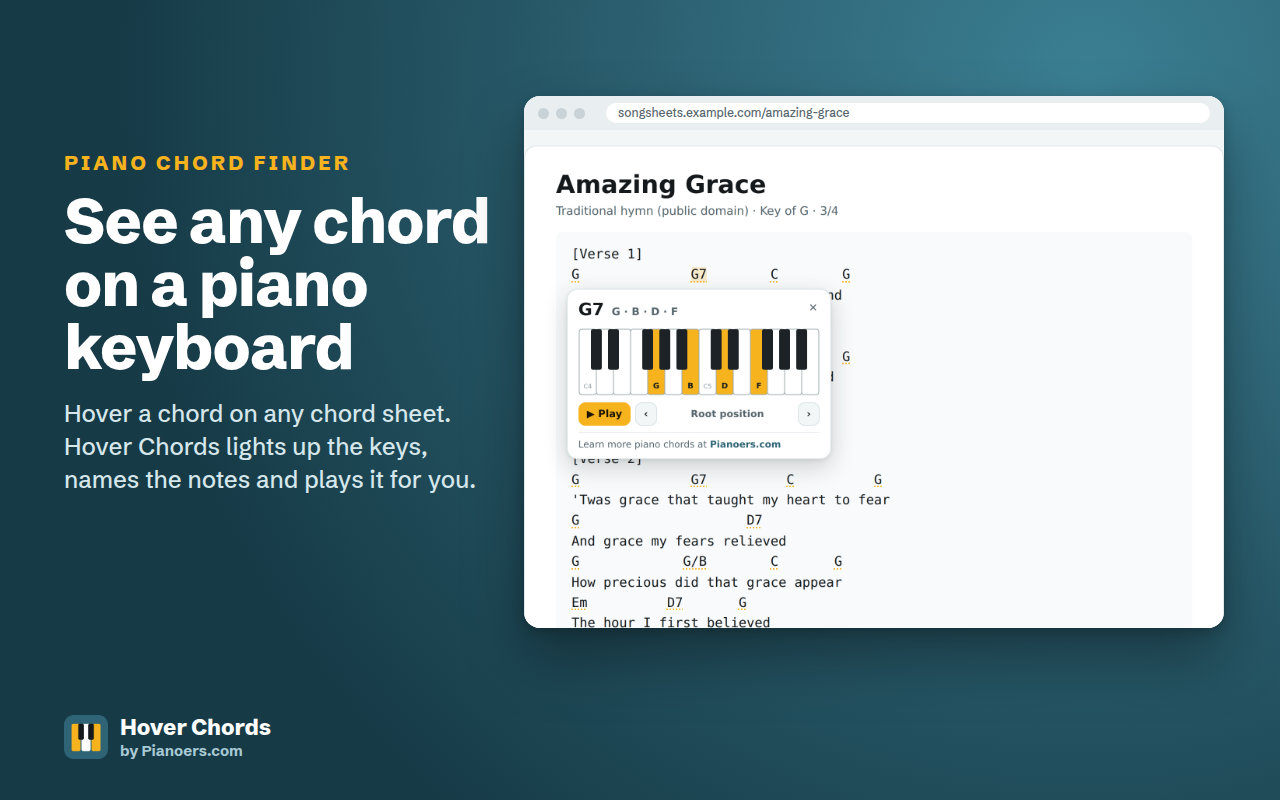
[Verse 1]
G              G7        C        G
Amazing grace, how sweet the sound
G                        D
That saved a wretch like me
G             G7         C        G
I once was lost, but now am found
Em        D          G
Was blind, but now I see

[Verse 2]
G              G7          C          G
'Twas grace that taught my heart to fear
G                     D7
And grace my fears relieved
G             G/B        C       G
How precious did that grace appear
Em          D7       G
The hour I first believed
Amazing Grace (traditional, public domain). This demo works just like the extension.
How it works
- Open a chord sheetAny song page with chords: lyrics sites, worship sets, guitar chord sites or your own sheets.
- Hover a chordA piano keyboard pops up with the chord's keys lit and every note named.
- Click to hear itThe chord plays, and the diagram stays pinned while you play along.
Features
- Instant piano chord diagrams: hover any chord to see the keys and the note names.
- Hear every chord: click to play it with a piano-like sound made in your browser.
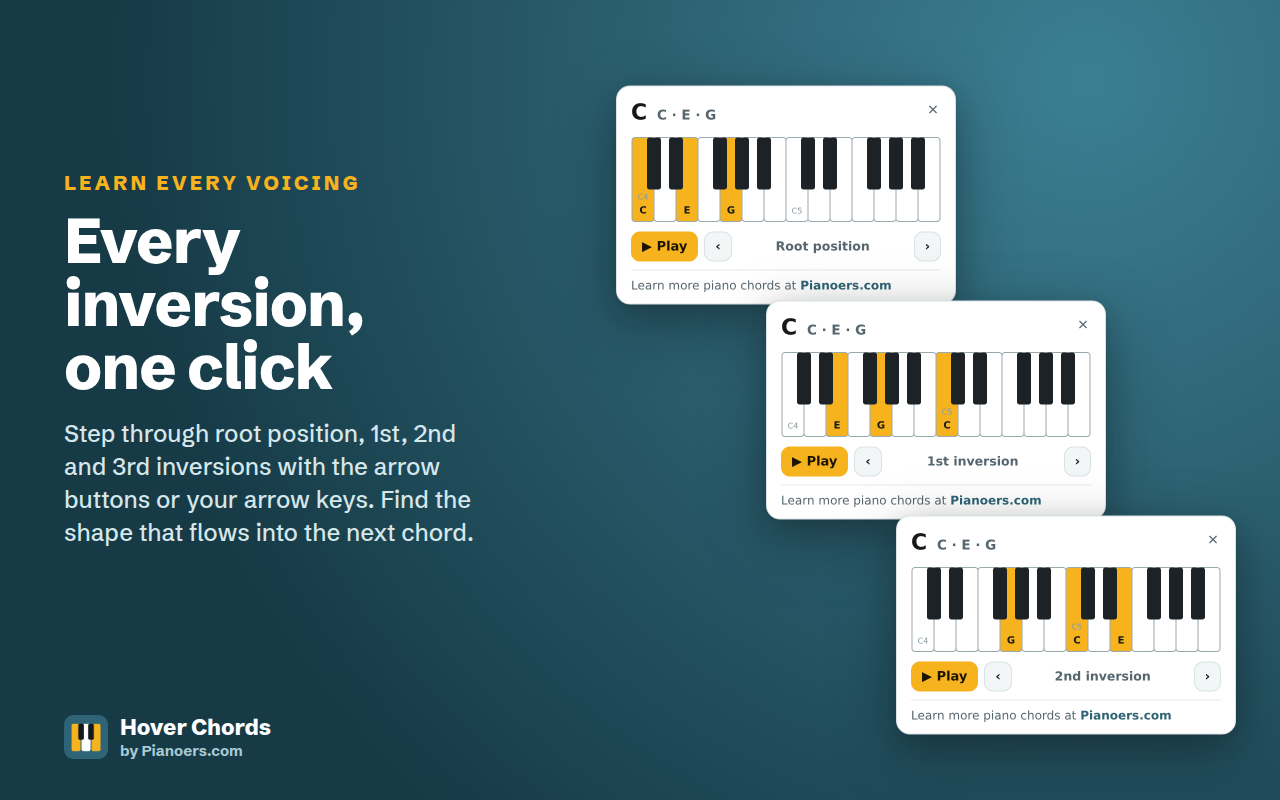
- Chord inversions: step through root position, 1st, 2nd and 3rd inversions with the arrow buttons or your arrow keys.
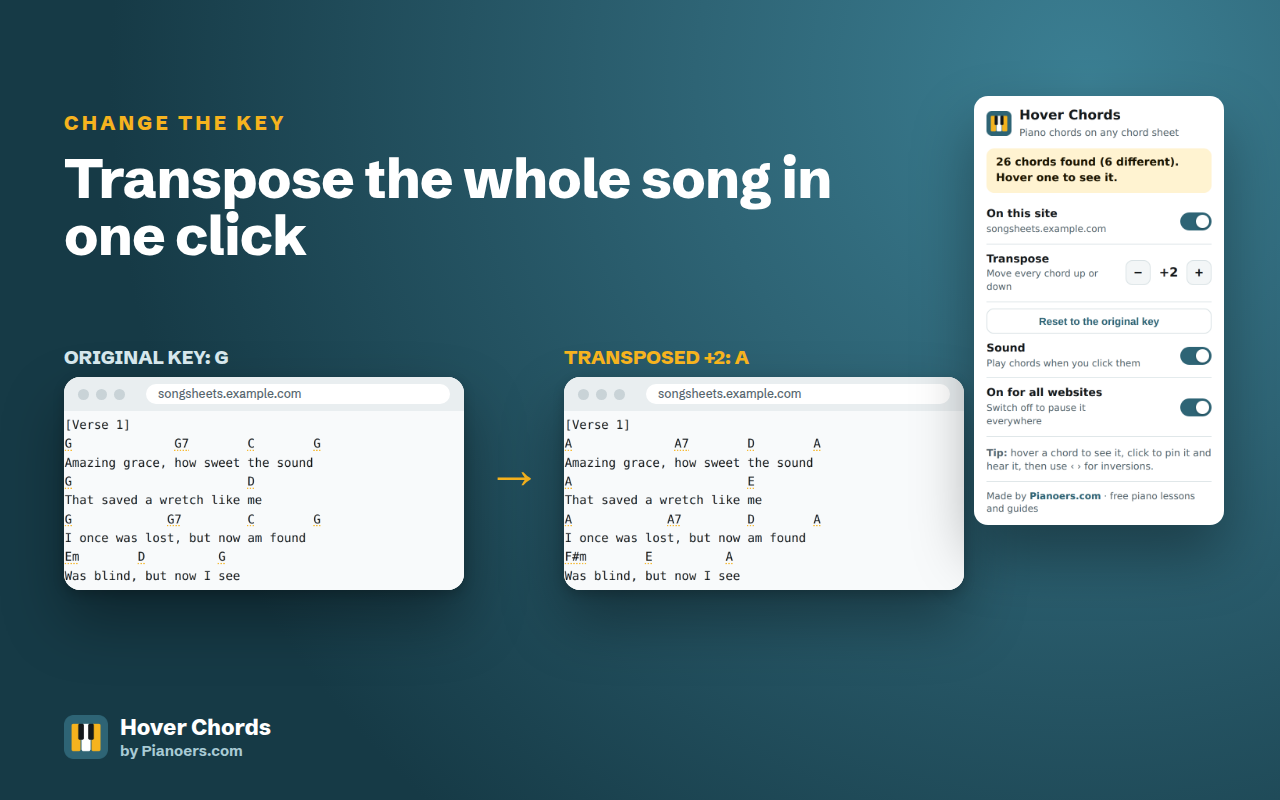
- Transpose chords: move every chord on the page up or down to play the song in any key.
- Slash chords: the bass note of chords like C/E and G/B is shown in its own colour.
- Correct note names: notes are spelled for the chord, so C7 shows B♭, not A#.
- Light and dark mode, and full keyboard support.
- Your control: turn it off for any website, or everywhere, from the toolbar.
Transpose a whole song in one click
Singing a song that's too high? Playing with a band in a different key? Click the Hover Chords icon in the toolbar and press + or −. Every chord on the page changes key at once, and Hover Chords remembers your choice for that website. Press "Reset to the original key" to go back.
Chords Hover Chords understands
| Type | Examples |
|---|---|
| Triads | C, Am, Bdim, Caug, Gsus2, Dsus4, C5 |
| Sixth and seventh chords | C6, Am6, G7, Cmaj7, Dm7, F#m7b5 (Bø), Bdim7, Cm(maj7) |
| Extended chords | C9, Cmaj9, C11, C13, C6/9, Cadd9 |
| Altered chords | C7b9, E7#9, G7b5, C7#11, A7b13 |
| Slash chords | C/E, G/B, D/F#, Am/C |
| Chord sheet formats | Chords above lyrics, bar lines like | Am7 | Fmaj7 |, ChordPro [C]brackets, repeat marks like x2 |
Private by design
Hover Chords collects no data. There's no account, no tracking and no analytics. It reads the page in your browser to find chord names, and nothing ever leaves your computer. It only asks Chrome for two permissions: storage (to remember your settings) and activeTab (so the toolbar popup knows which website you're on). Read the full Hover Chords privacy policy.
Learn the chords, not just the shapes
Hover Chords shows you the notes, but understanding why chords work is what makes you fluent. If you're starting out, my piano basics guide explains the keyboard and your first chords, and how to teach yourself piano has a 30-day plan. To compare courses that teach chords properly, see the best online piano lessons.
Hover Chords FAQ
Is Hover Chords free?
Yes. Hover Chords is completely free, with no ads, no account and no paid upgrade.
Which websites does it work on?
It works on chord sheets on any website: song and lyrics sites with chords, worship and church song sheets, guitar chord and tab sites, and ChordPro text such as [C]Let it [G]be. It leaves pages without chord sheets alone.
Can it transpose a song?
Yes. Click the Hover Chords icon in the Chrome toolbar and use the + and − buttons. Every chord on the page moves up or down one semitone at a time, and the setting is remembered for that website.
Does it work with guitar chord sheets?
Yes. Chord names are the same for guitar and piano, so Hover Chords reads any guitar chord sheet and shows each chord as a piano chord.
Which chords does it understand?
Major and minor chords, 7th chords, maj7, m7, diminished, half-diminished (m7b5), augmented, sus2, sus4, 6, m6, 6/9, 9th, 11th and 13th chords, add9, altered chords such as b9 and #11, power chords and slash chords like C/E.
What are chord inversions?
An inversion is the same chord with a different note at the bottom. C major in root position is C-E-G; the 1st inversion is E-G-C and the 2nd inversion is G-C-E. Hover Chords lets you step through them so you can pick the shape that moves most smoothly to the next chord.
Does Hover Chords collect my data?
No. It collects nothing. It reads the page in your browser to find chord names and never sends anything anywhere. Your settings are saved on your own computer.
Does it work in Edge, Brave or other browsers?
It is built for Google Chrome. Browsers based on Chromium, such as Microsoft Edge and Brave, can usually install Chrome Web Store extensions too.