
8 Best Online Piano Lessons for 2026, Tested by a Teacher
On this page
Last updated October 12, 2026. Prices checked October 11–12, 2026.
Picking online piano lessons is easy to get wrong in a specific way: you sign up for the app with the flashiest ad, quit in six weeks, and blame yourself instead of the mismatch. I teach piano, and most of the students who come to me “starting over” already tried one of these platforms first. The problem usually wasn’t effort. It was picking a tool built for a different kind of learner.
Below are the 8 online piano lessons worth your money in 2026, with real pricing, honest drawbacks, and who each one actually fits.
Quick answer
The best online piano lessons for most adult beginners: Pianoforall
It costs $49 once, with lifetime access and a 60-day money-back guarantee, and it starts you on chords, so real songs come early. The catch: nothing listens to you play. If you want an app that hears every note, try Skoove ($149.99 a year) or Simply Piano ($169.90 a year). For sight-reading and exams, pick Piano Marvel (free tier, or $129.99 a year). For help from real teachers, Pianote ($279 a year as part of Musora). For a huge song list, Flowkey. Not sure? Take the 30-second quiz.
Course finder
Which online piano course fits you?
Seven quick questions, about 30 seconds. Every answer is a piano key, so turn your sound on if you like.
How this quiz scores: each answer gives points to the courses that fit it, and the most points wins. Pianoforall is our top pick and an affiliate partner, so it starts with 1 point and wins ties. Any of the 8 courses can win, and your result shows every course’s score.
- Best for adults: Pianoforall
- Best for kids and game-style practice: Simply Piano
- Best for sight-reading and exam prep: Piano Marvel
- Best guided path of popular songs: Playground Sessions
- Best for instant note feedback on a budget: Skoove
- Best video-lesson library: Pianote
- Best for a huge song library: Flowkey
- Best for visual learners: Piano by Pictures
Our Top Picks at a Glance
| Course | Price model | Free trial | Feedback | Best for |
|---|---|---|---|---|
| Pianoforall | $49 one-time | No; 60-day money-back guarantee | None automatic (email questions) | Adults who want songs fast |
| Simply Piano | Individual $17.90/mo or $169.90/yr; Family $23.90/mo or $209.90/yr | Yes (length shown in app) | Listens through the mic | Kids and game-style practice |
| Piano Marvel | Free tier; $17.99/mo or $129.99/yr | Free tier | Scores your playing | Sight-reading and exam prep |
| Playground Sessions | $19.99/mo or $149.99/yr (first year often $99.99); lifetime $219.99 to $349.99 | Check at sign-up | Scores your playing | A guided path of popular songs |
| Skoove | Free tier; $29.99/mo or $149.99/yr | Yes | Hears notes and timing | Instant note feedback on a budget |
| Pianote (Musora) | $30/mo or $279/yr | 7 days; 90-day guarantee | Teacher support and live Q&As | A deep video-lesson library |
| Flowkey | Free account; $24.99/mo or $149.99/yr (Premium) | 7 days on yearly plans | Wait Mode listens | A huge song library |
| Piano by Pictures | $49/mo after the free month | First month free | None stated | Visual learners |
30-second chord taste
Play your first chord: C major
Press C, then E, then G, then hear all three together. That one hand shape is the start of the chord-first idea: learn a few shapes and you can play along with real songs long before you can read a page of notes.
A taste of the chord-first approach, made by Pianoers. It isn’t a lesson from Pianoforall itself.
The three dotted keys make a C major chord: C, E and G.
Pianoforall
Verdict: The best value for adult beginners: $49 once for a chord-first course with lifetime access and a 60-day money-back guarantee. Choose something else only if you need an app that hears your notes or a teacher on call.
- Price
- $49 one-time
- Trial
- 60-day money-back guarantee
- Format
- Video, audio and ebooks
- Feedback
- None automatic; email questions
- Works with
- Any piano; PC, Mac, iOS, Android, offline
What I like
- You’ll play recognizable songs quickly
- The style range (pop, blues, jazz, classical) is wider than most competitors
- It’s extremely affordable next to a $25–$30 monthly subscription
Drawbacks
- There’s no live feedback loop, so you won’t know if your timing is off unless you record yourself
- The video and audio production feels plain next to newer apps
Pianoforall is a $49 one-time purchase, not a subscription, and that alone puts it in a different category from most of this list. You get step-by-step video lessons, over 1,000 audio lessons and ten interactive eBooks, covering pop, blues, jazz and classical styles. The company says it has taught over half a million students, and it works across devices, even offline.
The chord-first method is the real selling point. Instead of drilling scales for a month before you touch a real song, you learn a handful of chord shapes and rhythm patterns and start playing recognizable music almost immediately. That’s exactly the hook that works on adult beginners who quit lessons as kids because nothing sounded like music for the first year. If you get stuck, you can email your questions to its instructors.
Read my full Pianoforall review for a closer look at the books.
Simply Piano
Verdict: The most fun way to build a daily practice habit, and my pick for kids. Adults paying for themselves get less for the money, as my full review explains.
- Price
- $17.90/mo or $169.90/yr (Individual)
- Trial
- Free trial
- Format
- Game-style app
- Feedback
- Listens through the mic
- Works with
- Any piano or keyboard; iOS, Android
What I like
- It’s fun and motivating
- The song selection is wide
- It’s a solid fit for casual learners who want progress without much structure
Drawbacks
- It’s subscription-only
- Serious students will outgrow the depth within a year or two
Simply Piano, made by Simply (the company formerly called JoyTunes), listens to you play through your device’s mic on any piano or keyboard and gives you instant feedback as you go. It mixes classical pieces, chart hits and Disney songs, and adds personalised exercises as you progress. The Individual plan costs $17.90 a month or $169.90 a year. The Family plan is $23.90 a month or $209.90 a year, covers up to 5 profiles and includes all the Simply apps.
This is the one I recommend to parents asking about lessons for a distractible 10-year-old. The gamification actually works. It turns practice into something closer to a mobile game, which matters more than curriculum depth in the first few months, when the biggest risk isn’t bad technique, it’s quitting. For an adult paying for themselves, the value is weaker; my full Simply Piano review explains why.
Piano Marvel
Verdict: The one to choose for sight-reading and exam prep, with a free tier generous enough to try it properly.
- Price
- $17.99/mo or $129.99/yr
- Trial
- Free tier
- Format
- Method course and song library
- Feedback
- Scores your playing
- Works with
- Best with a MIDI cable; iOS, Android, Windows, Mac
What I like
- It works for all skill levels
- The sight-reading tools are unmatched on this list
- There’s a genuinely usable free tier
Drawbacks
- The interface isn’t the sleekest
- It works best with a MIDI keyboard connected, not just a mic
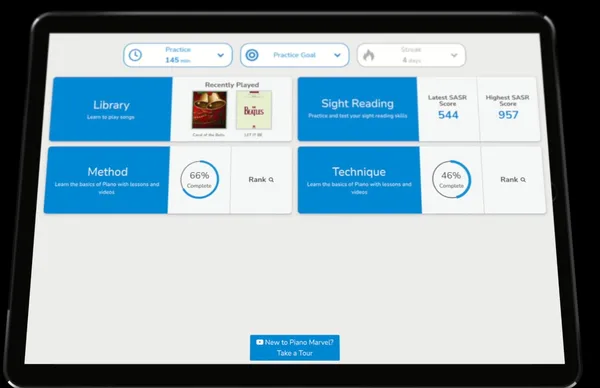
Piano Marvel has a genuinely useful free tier (150+ songs, 200+ lesson exercises and 25 video lessons), with Premium at $17.99 a month or $129.99 a year. Premium has 25,000+ songs, and its SASR tool (Standard Assessment of Sight Reading) is one of the only features on this list that actually measures reading ability instead of just note accuracy.
If a student tells me they’re preparing for an RCM or ABRSM-style exam, this is where I point them. The curriculum resembles a traditional print method more than the others here, which is a feature, not a limitation, if your goal is formal musicianship rather than casual playing. Monthly community challenges add a bit of competition for students who need that push.
Playground Sessions
Verdict: A clear, song-based path from Rookie to Advanced if you have a MIDI keyboard. It costs $19.99 a month, so work out the yearly or lifetime price before you commit.
- Price
- $19.99/mo or $149.99/yr
- Trial
- Check after sign-up
- Format
- Video lessons and a song path
- Feedback
- Scores your playing
- Works with
- A MIDI keyboard for full features
What I like
- The video instruction is excellent
- The song library is broad
- The guided learning path removes the guesswork
Drawbacks
- You need a MIDI keyboard to get the full experience
- It doesn’t focus much on improvisation
Playground Sessions scores your playing in real time, with lessons grouped into Rookie, Intermediate, and Advanced tiers. The company says the app was co-created with Quincy Jones, and the song library leans toward recognizable, radio-friendly material rather than exercises. It costs $19.99 a month or $149.99 a year (the first year is often billed at a promotional $99.99), and a lifetime membership runs $219.99 to $349.99.
You’ll get more out of it if you connect a MIDI keyboard rather than relying on the mic. For a student who wants a clear, guided path from “Rookie” to “Advanced” without picking their own curriculum, that structure is worth paying for.
Skoove
Verdict: The cheapest app here that hears your notes ($12.49 a month on the yearly plan), with reading and ear training built in. It checks notes and timing, not technique.
- Price
- $29.99/mo or $149.99/yr
- Trial
- Free Basic tier and a free trial
- Format
- Short interactive lessons
- Feedback
- Hears notes and timing
- Works with
- Piano or keyboard
What I like
- The instant note feedback is genuinely useful
- Ear training sits alongside reading music
- The interface is easy to navigate
Drawbacks
- It can’t see your hand shape, and the theory is thin
- It’s not built for advanced players, and the best features sit behind the paywall
Skoove costs $12.49 a month on its yearly plan ($149.99 a year), $19.99 a month on the 3-month plan or $29.99 month to month, and there’s a free Basic tier with selected lessons. It listens as you play and gives instant feedback on your notes and timing, and it pairs ear training with reading music, which most gamified apps skip entirely.
The ear training piece is what separates this from Simply Piano or Flowkey. A student who can play a piece perfectly from notation but can’t recognize the melody by ear is missing something Skoove specifically addresses. Just don’t expect it to fix your technique: it hears notes, not hand shape. More in my full Skoove review.
Pianote
Verdict: The deepest video-lesson library here, with real teachers behind it. It’s now part of a Musora membership: $30 a month or $279 a year.
- Price
- $30/mo or $279/yr
- Trial
- 7 days, plus a 90-day guarantee
- Format
- Video lessons and live Q&As
- Feedback
- Teacher support; no note detection
- Works with
- Any piano; iOS, Android, web
What I like
- The video content is excellent
- There are weekly live Q&As
- The teacher support is real, not automated
Drawbacks
- It’s subscription-only and doesn’t hear your notes
- Classical training isn’t the focus here
Pianote is now part of a Musora membership, which covers piano, guitar, drums, voice and bass: $30 a month or $279 a year, or $25 a month ($229 a year) for lessons only. There’s a 7-day free trial and a 90-day money-back guarantee. You get a full curriculum, artist-led video lessons, weekly live Q&As and personal support from real teachers, which is closer to traditional lessons than anything else on this list short of hiring one directly.
That human support is a big part of the value. If you’ve hit a plateau you can’t diagnose yourself, a teacher’s answer to a specific question will often catch what months of app-based correction missed. Classical training isn’t the focus here; if that’s your goal, see my Piano Career Academy review. For the full picture, read my Pianote review.
Flowkey
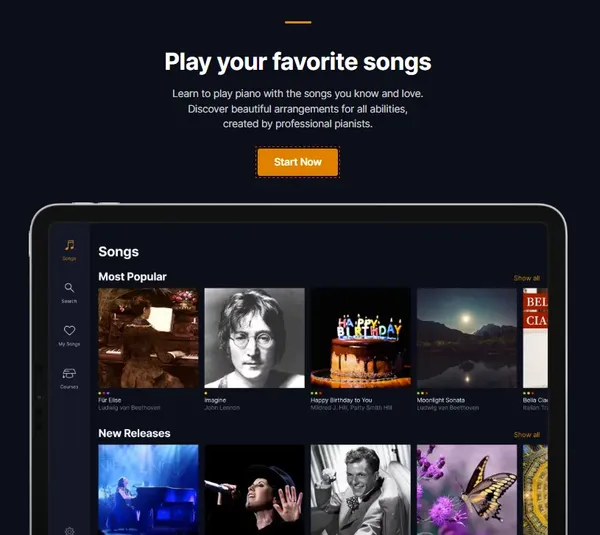
Verdict: The best pick if you mainly want to play songs you already love, on a digital or an acoustic piano.
- Price
- $24.99/mo or $149.99/yr
- Trial
- Free account; 7 days on yearly
- Format
- Song tutorials
- Feedback
- Wait Mode listens
- Works with
- Digital or acoustic piano; web, iOS, Android
What I like
- The interface is polished
- It works with acoustic pianos
- The song library is enormous
Drawbacks
- Theory and technique coverage is thin
- It’s less structured than Piano Marvel or Playground Sessions
Flowkey Premium costs $24.99 a month or $149.99 a year, and the cheaper Classic plan ($16.49 a month or $99.99 a year) covers its classical and public-domain songs. It gives you thousands of songs, shown through both notation and a video of real hands, and its Wait Mode listens and waits for the right notes. It works with acoustic pianos as well as digital ones, which not every app on this list handles well.
If your goal is simply “play more songs I already like,” the library size does a lot of the work for you. If you want song tutorials with a teacher talking you through each part, HDpiano is the other one to look at. The tradeoff is that Flowkey teaches you to play specific pieces more than it teaches you piano as a transferable skill. My full Flowkey review goes deeper.
Piano by Pictures
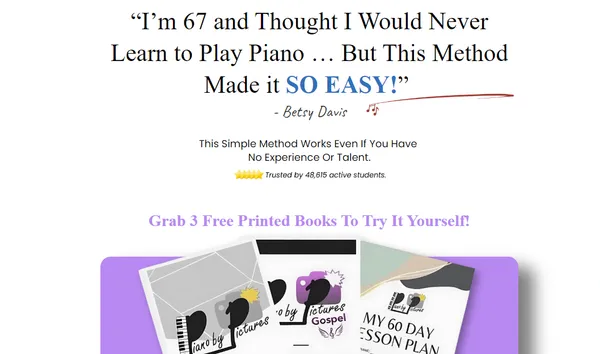
Verdict: A narrow but useful option if sheet music has never clicked for you. Read the billing terms: the free month rolls into $49 a month.
- Price
- $49/mo after the free month
- Trial
- First month free
- Format
- Picture-based video lessons
- Feedback
- None stated
- Works with
- Any piano or keyboard
What I like
- It’s fantastic for visual learners
- It simplifies concepts that trip up beginners elsewhere
- It builds creativity early
Drawbacks
- Theory depth is light early on
- At $49 a month it’s the priciest subscription here, which is a lot if you’re not the learner it’s built for
Piano by Pictures gives you the first month free, then costs $49 a month, the priciest subscription here. It teaches scale patterns, chords, and melody through images and diagrams instead of traditional notation, with a step-by-step structure and a Play by Ear module. The “3 free books” offer asks you to pay shipping and starts the membership, so read the billing terms before you sign up.
This one’s narrow by design. If sheet music has always felt like a foreign language to you, the visual-first approach removes that barrier entirely. If you’re comfortable reading notes already, you don’t need it.
How I Evaluated These
I judged each platform on seven things: curriculum quality, instructor expertise behind the content, how usable the interface actually is day to day, whether the feedback mechanism (mic, camera, or MIDI) works reliably, how much song variety is on offer, whether pricing is honest up front, and who each platform genuinely suits versus who it’s marketed to.
Here is what each recommendation rests on:
- Full hands-on reviews. I’ve written a complete review of five of these courses, with what I liked, what annoyed me and who each one suits: Pianoforall, Simply Piano, Skoove, Pianote and Flowkey. The verdicts in this guide match those reviews.
- Piano Marvel, Playground Sessions and Piano by Pictures. I haven’t published a full review of these three yet. The details here come from each company’s own pages and plans as they stood in October 2026, so read them as a guide to who each one suits, and use the free tier or trial to see for yourself.
- Prices, trials and what’s included. Checked on each company’s own site, or confirmed from its current plan, on October 11–12, 2026 (US prices).
Two names you’ll see recommended elsewhere aren’t on this list. ArtistWorks leans classical and conservatory-style, which makes it a better fit for a dedicated “learning classical piano” guide than a general beginner roundup. Yousician spreads its lessons across guitar, bass, ukulele, and voice as well as piano, so the piano-specific depth doesn’t match the eight platforms above that build for piano and nothing else. Stephen Ridley’s Piano Academy gets its own review instead.
The Starter Pack: What You Actually Need
You don’t need an acoustic piano to start. An 88-key digital piano with weighted keys, like a Yamaha P-145 or Casio Privia, covers everything on this list, and it’s what I recommend you start on. For app-based courses you’ll also want a smartphone or tablet, a stable internet connection, and if you’re eyeing Piano Marvel or Playground Sessions specifically, a USB or MIDI cable to connect your keyboard to your computer or device.
A good method book next to the screen helps too: my list of the best piano books for adult beginners has the ones I use with students. And if you’d rather piece together your own path, start with my guide on how to teach yourself piano.
How to Choose the Right One
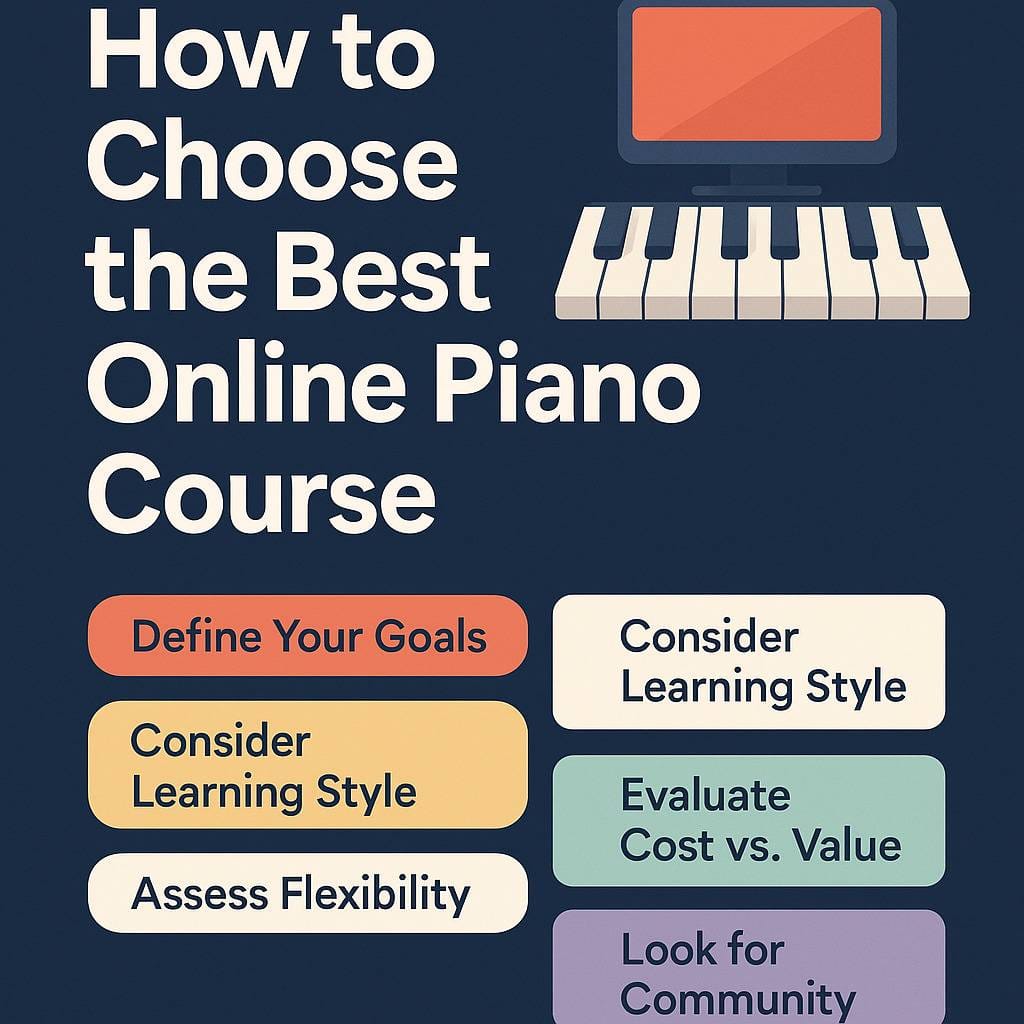
Six things actually matter here, and pricing isn’t the first one. The course-finder quiz at the top asks about each of them, if you’d rather tap than read.
What do you actually want to play? Pop songs, classical pieces, or improvisation each point toward a different platform. Be honest about this before you look at price.
Match your learning style. Video-first learners tend to like Pianote. If gamification keeps you coming back, Simply Piano fits. If you want the app correcting you in real time rather than a teacher answering your questions later, Skoove does that well.
Think about your schedule. Pianoforall gives you lifetime access to everything, so there’s no pressure to “keep up” with a subscription. Mobile-first apps like Flowkey suit people who practice in short, scattered windows rather than one long session.
Balance cost against value. A one-time $49 purchase and a $30-a-month subscription solve different problems even when the curriculum overlaps. Two months of a $30 membership like Musora’s costs more than Pianoforall outright. The 12-month cost race in the quiz result puts every course side by side.
Don’t ignore community. Piano Marvel’s leaderboards and challenges keep some students motivated in a way solo practice never will. If you know you need external accountability, weight this higher than curriculum depth.
Always try before you commit. Almost every platform here has a free tier, a free trial or a money-back guarantee; Playground Sessions lays out its trial terms only after you sign up. Use that window to test whether the feedback mechanism (mic versus MIDI versus a real teacher) actually works with your setup before you pay for a year. My roundup of the best free piano apps covers what you can do without paying at all.
Frequently Asked Questions
Are online piano lessons actually effective?
For most beginners, yes, they work comparably to in-person instruction. The one habit worth building regardless of platform: record yourself occasionally. It’s the fastest way to catch posture and hand-position issues that a screen won’t flag.
What equipment do I need for online piano lessons?
I recommend an 88-key digital piano with weighted keys, because it has the full range and the feel of a real piano (see my best beginner pianos). You don’t need an acoustic piano, and most students shouldn’t buy one until they know they’re sticking with it.
How much do online piano lessons cost?
Monthly plans on this list run from $16.49 (Flowkey Classic) to $49 (Piano by Pictures, after its free first month). Yearly plans cost less per month: Piano Marvel is $129.99 a year, Skoove and Flowkey Premium are $149.99, and Pianote, now a Musora membership, is $279. Pianoforall is the outlier at a $49 one-time fee with no recurring cost. Simply Piano is $169.90 a year ($17.90 a month) and Playground Sessions is $149.99 a year ($19.99 a month). Prices checked October 12, 2026.
Which online piano lessons are best for complete beginners?
Pianoforall gets you playing songs fastest. Simply Piano works well if you need app-style motivation to keep showing up, and it’s the one I suggest for kids. Piano by Pictures suits beginners who want to avoid reading traditional sheet music at first.
How long until I can actually play something?
With 20 minutes of daily practice, expect simple melodies within 2 to 3 weeks and basic two-hand songs within 2 to 3 months. That timeline holds across most of the platforms above; the differences show up more in what you’re playing than how fast.
Am I too old to start?
No. Adults often progress faster than kids in the first few months because practice is intentional rather than forced. Age isn’t the variable that predicts whether you stick with it. Consistency is.
Final Thoughts
There’s no single best answer here, and I’d be lying if I gave you one. What decides whether you’re still playing in a year isn’t which platform ranks first on this page. It’s whether the platform matches how you actually learn. Pick based on that, practice consistently, and any of these eight will get you further than the piano sitting untouched in the corner right now.
Into jazz? Look at my reviews of Open Studio and Piano With Jonny. Play in church? The Worship Music Academy review is for you.

Comments ()